Is WordPress suitable for backoffice tasks that help run a business?
WordPress can be used for backoffice tasks like CRM, invoicing, internal forms, reporting, inventory management, staff workflows, fulfillment, and customer records. The better question is whether it should be used for your specific business process.
In my experience, WordPress is rarely the default choice for true internal operations. It can literally do a lot of this work, especially with the right plugins or custom development, but backoffice processes tend to be highly specific. That is where the decision gets tricky. A plugin might get you 70 percent of the way there, but the last 30 percent can be where the real cost, complexity, and maintenance live.
The first decision: scope the work before touching plugins
The single most important step is to scope out exactly what you want WordPress to do before installing anything or hiring someone to build it. It is easy to say, “We need a CRM,” or “We need internal forms,” or “We need a reporting dashboard.” Those are broad strokes. They are not enough to choose the right plugin, design the data structure, or estimate the work.
You need to get specific about the actual workflow. For example:
- Who enters the data?
- Who needs to review or approve it?
- What fields are required?
- What should happen after a form is submitted?
- Do users need different permission levels?
- Does the data need to sync with accounting, email, shipping, POS, or inventory tools?
- What reports do managers need to see every day, week, or month?
- What needs to be searchable, exportable, or archived?
This level of detail is what determines whether a plugin is a good fit, whether custom development is needed, or whether WordPress is the wrong tool for the job. Without that scope, businesses usually end up stacking plugins until the system becomes fragile, confusing, or difficult to maintain.
Where WordPress works well for backoffice operations
We tend to see WordPress work best for backoffice tasks in two situations.
1. New businesses without fixed SOPs
WordPress can be a good fit for brand new businesses that do not already have strict standard operating procedures in place. If the business is still figuring out how leads are handled, how orders move through fulfillment, or how staff should submit internal requests, WordPress gives you room to shape the workflow as you go.
That flexibility matters. A new business may not need a heavy enterprise system yet. It may need a practical way to collect form submissions, assign work, store customer notes, track order status, and generate simple reports. WordPress can do that, especially when the business already uses WordPress for its public website or WooCommerce store.
2. Businesses willing to invest in custom development
WordPress also works better when the company accepts that some parts may need to be custom coded. Plugins are useful, but most internal processes are too specific for one plugin to match perfectly. Custom development can fill those gaps by creating custom post types, custom fields, admin screens, user roles, reports, and integrations that fit the business instead of forcing the business to fit a plugin.
This has become easier than it used to be because AI can help developers move faster, but it still needs experienced planning and review. AI does not replace good architecture. If the workflow is important to the business, you still need someone who understands WordPress, data structure, permissions, security, and long-term maintenance.
A real-world example: WooCommerce as ecommerce, POS, accounting, and fulfillment
One place we have seen WordPress used for backoffice work is with WooCommerce. In some setups, the store is not just an ecommerce site. It becomes the central place for online sales, point-of-sale activity, accounting workflows, and fulfillment.
That kind of setup can work. Orders come into WooCommerce, staff can manage fulfillment, inventory can be updated, accounting data can be pushed or exported, and the business has one place to check order activity. For a smaller operation, that can reduce manual work and give better visibility than managing everything in spreadsheets and inboxes.
But I would not call it perfect. WooCommerce can become the operational hub, but once you start adding POS, accounting, inventory, shipping, reporting, and fulfillment plugins, you need to pay close attention to conflicts, sync issues, and who owns each part of the workflow. The more WordPress becomes your backoffice system, the more it needs to be treated like business-critical software.
Where WordPress starts to break down
WordPress itself is scalable. It can handle a lot when the software is built properly, hosted properly, and maintained properly. The bigger issue is usually not whether WordPress can scale. The issue is whether you can get the exact functionality your business needs in a stable, maintainable way.
WordPress starts to become a poor fit when the workflow depends on features that are hard to create with available plugins and too expensive to custom build. Warning signs include:
- You need very specific approval flows that do not match plugin defaults.
- You need complex permissions across teams, departments, or locations.
- You need detailed audit trails showing who changed what and when.
- You need strict compliance controls that WordPress plugins do not fully support.
- You need real-time syncing with multiple third-party systems.
- You need reporting that requires clean relational data, not just post meta and exports.
- You are relying on several plugins that all touch the same data.
None of these automatically disqualify WordPress, but they increase the need for proper planning and development. If the system holds operational data, customer data, payment-related records, staff activity, or inventory, it cannot be treated like a basic brochure website.
Common mistakes businesses make when using WordPress internally
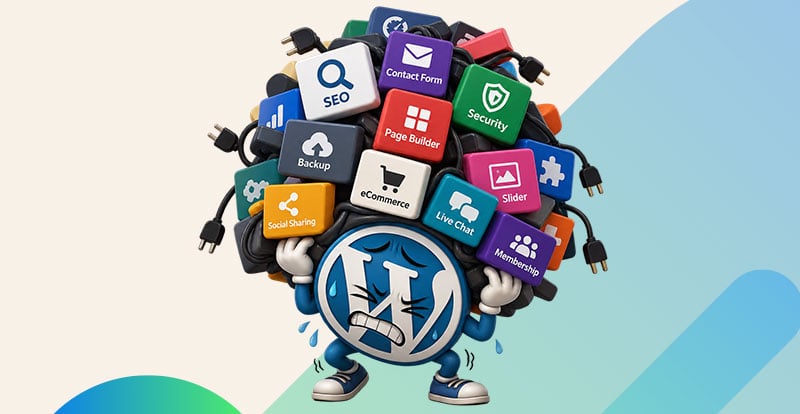
The most common mistake is starting with plugins instead of requirements. A business sees a CRM plugin, an invoicing plugin, a form plugin, and a reporting plugin, then assumes they can be combined into a full internal system. Sometimes they can. Often, the pieces overlap, conflict, or leave gaps.
Another mistake is underestimating permissions. WordPress has built-in roles, but backoffice systems usually need more nuance. Sales staff may need to see their own leads but not everyone else’s. Managers may need reporting access but not editing access. Fulfillment staff may need order details but not financial reports. If this is not planned early, sensitive data can end up too widely available.
Businesses also underestimate maintenance. Every plugin adds updates, security considerations, compatibility risk, and a potential point of failure. If a plugin developer stops maintaining a key tool, the business may be stuck rebuilding part of its workflow later. Backups also matter more when WordPress stores operational records. A backup strategy should account for how often the data changes and how much data the business can afford to lose.
How to choose between WordPress, SaaS, custom software, or a hybrid setup
The decision usually comes down to cost, fit, and ownership. WordPress has a large plugin ecosystem, and sometimes the perfect plugin already exists. If it does, that can save a lot of money compared with building custom software or paying for multiple SaaS tools.
But if the right plugin does not exist, the decision changes. You may need custom WordPress development, a dedicated SaaS tool, custom software, or a hybrid setup where WordPress handles some workflows and another platform handles the specialized parts.
Practical criteria I would use
- Use WordPress if the workflow is simple, the plugin fit is strong, and the business already operates in WordPress or WooCommerce.
- Use custom WordPress development if WordPress is already central to the business, but the workflow needs custom roles, fields, admin screens, or integrations.
- Use SaaS if the task is standard and well-served by an existing platform, such as accounting, payroll, compliance-heavy CRM, or advanced inventory.
- Use custom software if the process is unique, mission-critical, and too specific for plugins or SaaS tools.
- Use a hybrid setup if WordPress is useful for customer-facing or order-related workflows, but another system should own accounting, reporting, or compliance data.
What experienced WordPress developers know that beginners often miss
Experienced developers usually think beyond the screen a user sees. They think about how the data should be stored, who should access it, how it will be queried later, and what happens when the business grows.
For backoffice work, that often means deciding whether something should be a custom post type, a custom database table, user meta, order meta, taxonomy, or external system record. It also means thinking carefully about roles and capabilities instead of giving everyone admin access because it is faster during setup.
Integrations are another area where experience matters. A beginner may connect plugins and assume the job is done. An experienced developer asks what happens when an API fails, when a sync runs twice, when a field changes, or when two systems disagree. Those details are not exciting, but they are what make an internal operations tool reliable.
So, is WordPress suitable for backoffice tasks? Yes, in the right situation. It is strongest when the scope is clear, the workflow is not overly specialized, the plugin fit is good, or the business is willing to fund proper custom development. It is weakest when a company expects a few plugins to replace a carefully designed operations system without planning, maintenance, or long-term ownership.