Is WordPress Right for My Business?
WordPress might be right for your business, but it depends on what you need the website to do, what your budget looks like, and whether your website needs to connect directly to sales, booking, follow-up, or customer data.
I know that sounds less satisfying than a simple yes or no, but it is the honest answer I would give a client. WordPress is flexible, powerful, and usually a strong long-term choice. It is not always the best first step for every small business, especially if the business mainly needs bookings, reminders, customer follow-up, or ecommerce features that another platform already handles well.
Start With What the Website Needs To Do
The first question we ask is what the business needs the website to do and what budget they have to support it.
If the budget is low, a DIY WordPress site can work, but it is not always the easiest or most cost-effective option. In that case, we may suggest a simpler page builder or software made specifically for that type of business. A dog groomer, salon, fitness coach, cleaner, or appointment-based service may get more value from a CRM or booking platform that already includes landing pages, online scheduling, automated reminders, and review requests.
If we know the features the business wants, we can make a much better recommendation. WordPress has very few hard limitations, but that does not mean it is always the best tool. For example, if someone is building a straightforward ecommerce store, Shopify may be the better fit. If someone wants a print-on-demand store, custom checkout flows, or inventory features, starting with a platform built for that use case may save money and frustration.
The mistake is choosing WordPress because it is popular instead of choosing the system that fits the business model.
When WordPress Is Not the Best First Step
WordPress is not the best first step when another platform already solves the core business problem better and with less setup.
We have talked with business owners who were not a good fit for a WordPress build because their needs were already covered by a CRM or industry-specific tool. Some wanted print-on-demand stores. Some wanted custom software or complex functionality, but there was already a CRM that did what they needed without paying for custom development.
This is especially true for service businesses that need more than a brochure website. If the main goal is to book appointments, remind people to show up, nudge them to rebook, and request Google reviews after service, a CRM with those features built in may stretch the marketing budget further than a custom WordPress site on day one.
You can connect WordPress to booking tools, forms, CRMs, automation platforms, and review systems. We do that often. But every connection adds setup, testing, and maintenance. If the business is early-stage and mostly needs a smooth booking and follow-up process, the included CRM website or landing page may be enough until the business is ready for a more advanced site.
The Hidden Cost of WordPress Is Maintenance and Integration
The true cost of WordPress includes the build, plugins, integrations, maintenance, forms, automations, and the time needed to keep everything working.
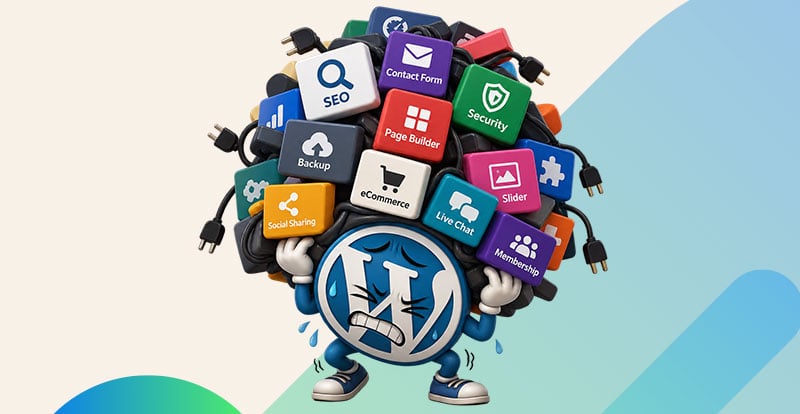
One of the most common mistakes small businesses make is thinking WordPress is a one-and-done project. It is not. WordPress needs care and maintenance. Plugins need updates. Forms need testing. Integrations can break. Security matters. Hosting matters. If a booking form stops sending leads or a webhook stops pushing data into the CRM, that is not a small issue. That is a sales problem.
WordPress itself can be affordable, but the full system may include paid plugins, premium themes, form tools, CRM connections, automation platforms, analytics, call tracking, landing page testing, and developer time. None of that is bad. It just needs to be planned for.
This is why we try to match the platform to the stage of the business. A growing business running ads and investing in conversion rate optimization may absolutely need a custom WordPress site. A brand-new service business trying to book its first steady flow of appointments may be better off using the website or landing pages included inside its CRM until the business has more data and budget.
When It Makes Sense To Add WordPress Later
It makes sense to add WordPress later when the business has outgrown the included website and needs stronger content, better conversion rate optimization, and more control over the customer journey.
We see this as part of the normal lifecycle of a business. Early on, a simple landing page inside a CRM may be enough. Later, the business starts running ads, investing in SEO, building service pages, testing offers, and improving conversion rates. That is usually when they leave the included website and move to a custom WordPress site built by a company that focuses on that work.
At that stage, WordPress can become the front-end marketing engine while the CRM stays responsible for customer data, scheduling, reminders, and follow-up. The two systems should not operate separately. They should be connected through embedded forms, booking widgets, webhooks, tracking scripts, or native integrations.
The goal is simple: when someone fills out a form, books an appointment, downloads something, or requests a quote, that interaction should land in the CRM with the right context. We want to know where the lead came from, what page they viewed, what service they were interested in, and what follow-up should happen next.
When WordPress Is Clearly the Right Choice
WordPress is clearly the right choice when the business needs control over content, SEO, landing pages, conversion testing, and integrations that a simpler platform cannot support well.
For a local service business that plans to build out location pages, service pages, blog content, case studies, and paid ad landing pages, WordPress can be a strong choice from day one if the budget supports doing it properly. It is also a good fit when the business needs custom page layouts, stronger technical SEO control, flexible content management, or specific integrations with a CRM.
WordPress also makes sense when the website is not just a placeholder but a core marketing asset. If the business is serious about organic search, running campaigns, tracking conversions, and improving pages over time, WordPress gives us room to build and refine.
The key is not treating WordPress like a magic fix. It works best when it is part of a planned system: the website captures demand, the CRM manages the relationship, automation handles the routine follow-up, and the business can see what is actually driving leads and sales.