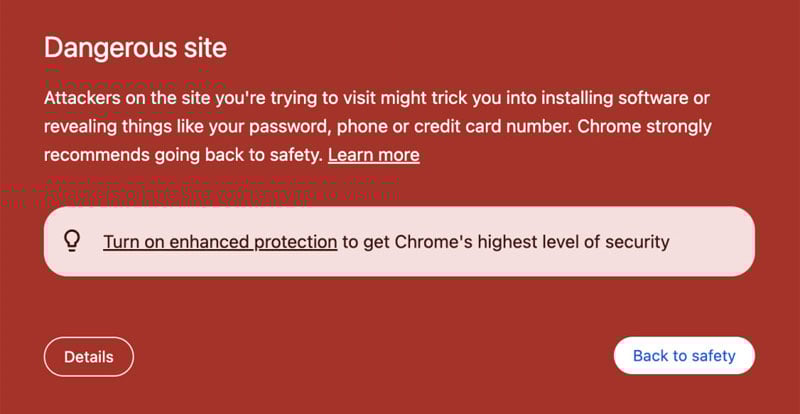
Your site says “dangerous” in Google or shows a red warning page. That usually means malware, phishing, or unwanted software was found on your domain. SSL being active doesn’t clear it. This is a security incident, not an SEO glitch.
On our client sites, it's almost always an outdated plugin that is exploited (it's rarely a theme). The attacker uploads malware and also plants a backdoor so they can come back even after you change passwords. Password changes alone rarely fix anything. The infected code must be removed and the original hole must be closed, or the warning returns.
What “dangerous site” actually means
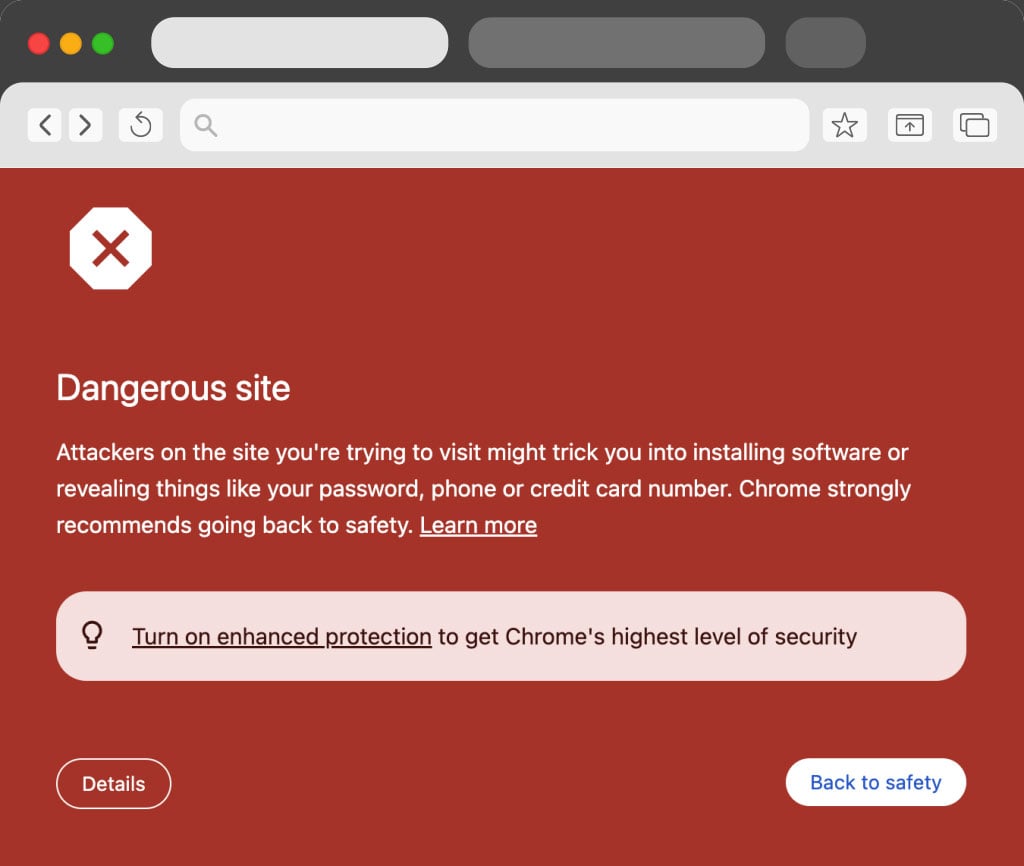
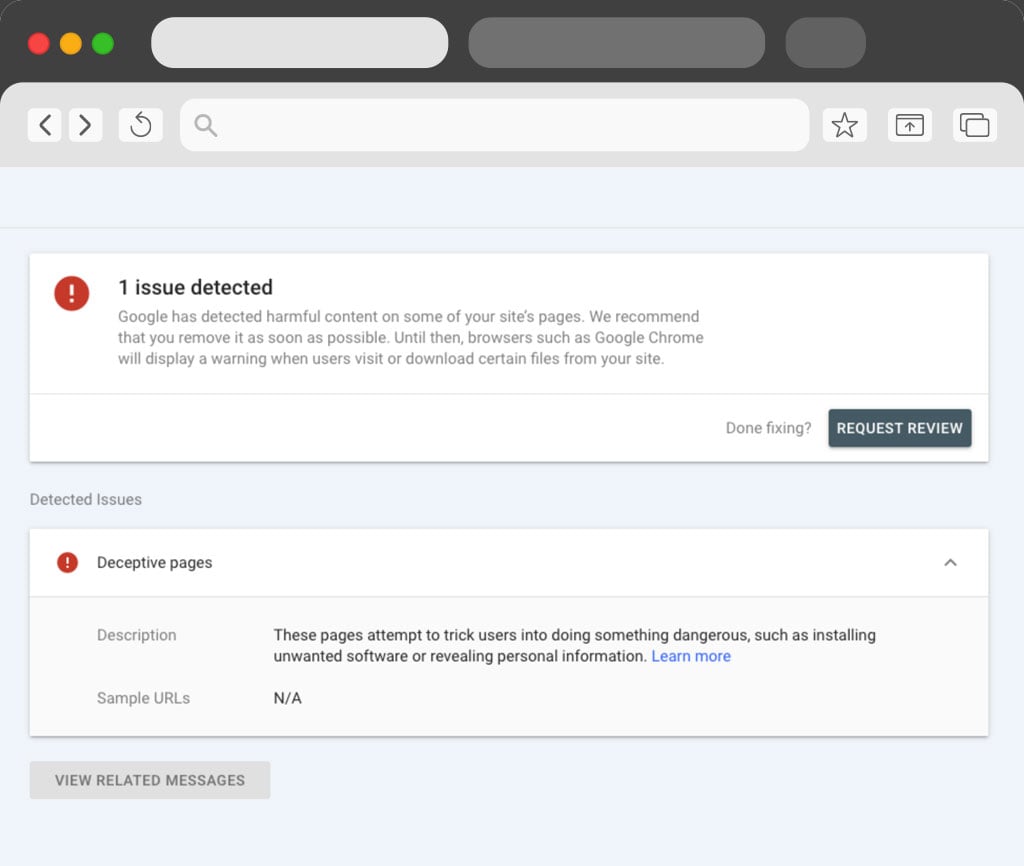
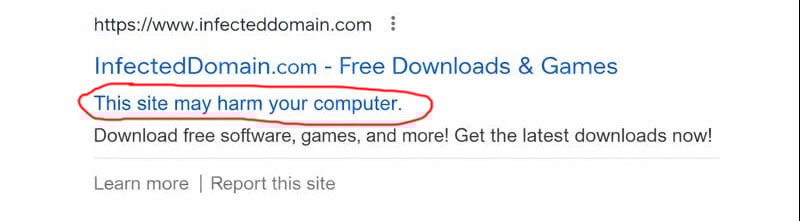
Google flags sites when it detects malicious code, injected pages, spam redirects, or downloads that put users at risk. You might see:
-
A red interstitial in Chrome that says the site is harmful or deceptive
-
A Security issues alert in Google Search Console with sample URLs
-
A message in the Google search results saying the site may harm your computer
-
Sudden drops in traffic because Google suppresses infected pages
These alerts are almost never false. If Search Console lists a problem, treat it as real until proven otherwise.
First moves that stop the damage
-
Confirm the exact warning in Google Search Console under Security issues. Note the category and sample URLs.
-
Put up a simple maintenance page if users might get redirected or served malware. A temporary 503 is fine.
-
Take a full backup of files and database before changes. Keep a copy off the server for analysis.
Find the entry point and the payload
On self-hosted WordPress the pattern is consistent: an outdated plugin or nulled theme gets exploited, a backdoor lands in wp-content, and malicious scripts appear in uploads, themes, or mu-plugins.
What to look for:
-
Recently modified files you didn’t touch, especially in wp-content/uploads and theme folders
-
Obfuscated PHP like base64 blobs, eval, assert, or strange .ico files that are actually PHP
-
New admin users or odd cron jobs
On WordPress.com you’ll have fewer file tools, but you can still check recent plugin updates or custom code snippets. If a plugin auto-updated right before the warning, start there. We’ve seen cases where a rushed release triggers scanners. Rolling back and rescanning can clear the flag after review.
Clean the site the right way
-
Replace WordPress core with fresh copies from source. Do not just edit a few files.
-
Reinstall every trusted plugin and theme from original vendors. Delete anything unused.
-
Purge executable files from uploads. That folder should contain images and documents, not PHP.
-
Rotate WordPress salts in wp-config to invalidate sessions.
-
Reset passwords for hosting, SFTP, WordPress admins, database, and any API keys tied to the site.
Changing passwords before removing the backdoor is like locking the front door while the intruder is already inside. Remove the malware first, then rotate credentials.
Close the hole so it doesn’t return
-
Update all plugins and themes to current versions.
-
Remove plugins you don’t actually need. Fewer components mean less risk.
-
Disable file editing in the dashboard by adding
define('DISALLOW_FILE_EDIT', true);to wp-config. -
Set correct file permissions so the server cannot write to areas it shouldn’t.
-
Add a lightweight web application firewall and a malware monitor.
Get the warning removed
Once you are confident the site is clean:
-
Recheck with a scanner and your browser in a private window. Make sure no redirects or injected scripts fire.
-
In Search Console, open Security issues and request a review. Briefly explain what was found, what was removed, what you updated, and how you will prevent repeats. Reviews often clear within hours to a couple of days if the site is actually clean.
Why this hits WordPress sites so often
WordPress core is well-maintained. The risk usually sits in the plugin ecosystem. A single outdated plugin with a known vulnerability can be scanned and hit across the internet in minutes. Attackers automate this. Once in, they add malware and a backdoor so they can re-infect even after you patch. That is why full replacement from source and backdoor hunting is so important.
If you’re non-technical and just need help
You don’t have to reverse engineer this on your own. We can handle malware cleanups for you. Our workflow is straightforward:
-
Triage and snapshot
-
Full core and plugin replacement from source
-
Payload and backdoor removal in files and database
-
Hardening and updates
-
Search Console review request with clear notes
If you want us to take it from here, we can jump in, clean the site, close the hole, and handle the review.
FAQ
Will renewing SSL fix the warning?
No. SSL is about encryption, not malware. You need to remove the malicious code and any backdoors, then request a review.
I changed all passwords and the warning is still there. Why?
Attackers usually install backdoors that bypass normal logins. Until those files and database entries are removed, they can return or keep serving malware.
How long does Google take to remove the warning after cleanup?
After a proper cleanup and a review request in Search Console, we commonly see removal within a few hours to 48 hours. If it lingers, something is still present.
Can a plugin update cause this without a hack?
A bad release can trip scanners, but most cases involve real injections. If the issue clears after rolling back and reviewing code, you may have hit a false pattern, but treat every case as a potential compromise.
My site is on WordPress.com. Can it still get flagged?
Yes. Platform hosting reduces risk but doesn’t eliminate it. Plugin code and custom embeds can still create issues. Use their support tools and request a review after rollback or cleanup.
Do you need my hosting access to fix it?
Yes. We need file and database access to remove payloads, replace code from source, and harden the install. We can work through your host if you prefer.
Will this hurt SEO long term?
Short term, yes, a hacked site will hurt SEO. Traffic drops while the warning is active. Once clean and reviewed, rankings typically recover. Hardening and keeping plugins updated prevents repeat incidents that cause lasting damage.
If you’re staring at a red warning and just want it gone, reach out. We’ll clean the infection, lock down the site, and get the review submitted so your brand shows safely again.